
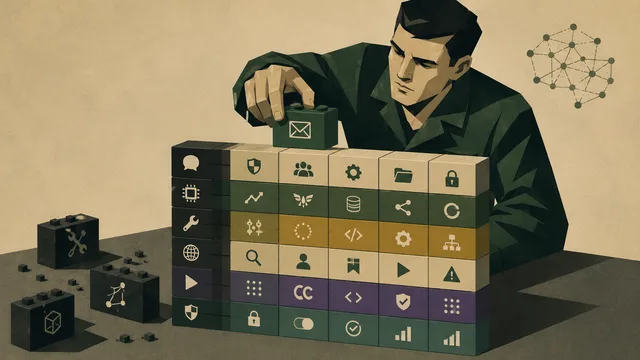
A personal AI operating system is not one product — it is a stack. Build memory first, add one messenger, choose a harness, give it scoped tool access, and expand gradually. The most useful assistant is not the most autonomous one: it is the one that knows where to read context, what it can act on, and when to ask for approval.
Beyond the chatbot
Most people still use AI assistants as chatbots. They open a window, type a prompt, paste some context, get an answer, and then manually move that answer into the rest of their work. This is useful, but it is not yet a personal operating system. It still depends on the user to remember the context, gather the inputs, decide which tool to use, copy the output, update the right notes, and follow up later.
A more useful assistant needs a structure around it. It needs a place to read memory, a way to communicate with the user, a controlled method for using tools, and a process for reporting what it did. The model is only one part of the system. The surrounding architecture is what determines whether the assistant becomes genuinely useful or remains another chat window that needs to be briefed every morning.
A practical personal AI operating system has four core layers. The first is memory, where your projects, people, tasks, decisions, notes, and daily context live. The second is the agent harness, which runs the assistant and gives it a way to read memory and use tools. The third is the messenger, where you interact with the assistant naturally throughout the day. The fourth is tool access, which lets the assistant act across apps, inboxes, calendars, files, and workflows.
The goal is not to automate everything at once. The goal is to design a setup where the assistant can operate with continuity — it should know where to read context, where to ask questions, where to write updates, which tools it can use, and which actions require approval.
The architecture
A personal AI operating system is not one app. It is a stack of tools that work together.
| Layer | Purpose | Example tools |
|---|---|---|
| Memory | Stores personal context, projects, people, notes, tasks, decisions, and history | Obsidian, Notion, Markdown files, Google Drive |
| Harness | Runs the assistant and connects it to memory, tools, and automations | Hermes, TrustClaw, OpenClaw |
| Messenger | Gives you a natural place to talk to the assistant | Telegram, WhatsApp, Discord, Slack |
| Tool access | Lets the assistant use external apps safely | Composio, MCP, APIs, OAuth |
| Agent inbox | Lets the assistant send and receive email independently | AgentMail |
| Research layer | Gives the assistant fresh external information | Perplexity |
| Execution layer | Lets the assistant complete larger work packages | Claude Cowork, Claude Code, Microsoft Copilot |
| Safety layer | Controls what the assistant can do without approval | Logs, permissions, scopes, approvals, dashboards |
This structure matters because every layer solves a different problem. Memory prevents the assistant from forgetting your context. The harness gives the assistant a runtime. The messenger makes it accessible. Tool access gives it the ability to act. The safety layer keeps that action from becoming dangerous.
Many people start by asking which agent tool they should use. That is usually the wrong first question. The first question should be: where does the assistant's memory live? Without a reliable memory layer, every assistant becomes fragile — useful in one session, but unable to understand the continuity of your work over days, weeks, or months.
Start with memory
The memory layer is the foundation. It tells the assistant who you are, what you are building, what matters today, which projects are active, which people are important, which decisions have already been made, and what still needs attention.
The best memory system is not necessarily the most complex one. It is the one that is readable, maintained, and structured enough for an agent to use. For most people, the realistic options are Obsidian, Notion, and ordinary files or folders.
| Memory system | Best for | Main advantage | Main weakness |
|---|---|---|---|
| Obsidian | Private personal memory, local-first notes, agent-readable Markdown | Local files, privacy, flexibility, excellent for personal dashboards | Requires structure and discipline |
| Notion | Shared structured work, team databases, collaborative docs | Databases, collaboration, permissions, team workflows | Can become messy if the workspace lacks conventions |
| Files / Drive / folders | Documents, PDFs, spreadsheets, raw material | Familiar, flexible, already used by most people | Often unstructured and hard for agents to interpret consistently |
Obsidian and Notion should not be treated as direct substitutes — they solve different problems. Obsidian is strongest when the memory is private, personal, local-first, and file-based. Notion is strongest when the memory is shared, collaborative, structured, and maintained by a team.
A good setup can use both. Obsidian can hold the private operating memory: daily notes, project thinking, personal dashboards, people notes, and decision logs. Notion can hold the shared workspace: team wiki, project databases, content calendars, client trackers, SOPs, and collaborative documentation. The assistant should know which memory layer to consult for which type of task.
Obsidian as private memory
The most useful way to think about Obsidian is that it can become a private memory substrate for your agents. A human uses Obsidian to remember, reflect, and connect ideas. An agent uses Obsidian to orient itself before doing work.
This is especially powerful because Obsidian stores notes as Markdown files — making the vault readable by local tools, coding agents, scripts, and assistants. Instead of keeping context trapped inside a proprietary interface, the information exists as plain text files that can be queried, summarized, linked, and updated.
A serious Obsidian memory system includes:
- Daily notes — what happened, what changed, what needs attention, and what remains open.
- Project notes — goals, status, deadline, next action, priority, and relevant links.
- People notes — collaborators, clients, investors, candidates, and recurring contacts.
- Task notes — due dates, priority, energy level, and project association.
- Meeting notes — decisions, action items, blockers, and follow-ups.
- Decision notes — why a choice was made, not just what was chosen.
- Dashboard notes — reads from the rest of the vault and surfaces what matters now.
- Transcript notes — from meetings, voice memos, calls, or daily audio capture.
The dashboard is the most important part of this setup. It should not be another note where you manually write information — it should be a note that reads from other notes. If you update a project file, the dashboard changes. If an open loop appears in yesterday's daily note, the dashboard surfaces it today. This is the "read, not store" principle.
| Dashboard section | What it answers |
|---|---|
| Today's priorities | What needs action now? |
| Active projects | What is moving, blocked, late, or almost done? |
| Next seven days | What deadlines are approaching? |
| People / client health | Who needs attention? |
| Open loops | What carried over from yesterday? |
| Revenue or business pulse | What matters commercially right now? |
| Morning briefing | What does all of this mean for today? |
The key is consistency. If your project notes use status, deadline, priority, and next_action, then every project note should use those same fields. A messy vault can still be useful to a human. A structured vault is useful to an agent.
Files, transcripts, and raw context
Not all memory belongs in Obsidian or Notion. Some context naturally lives as files: PDFs, spreadsheets, decks, screenshots, contracts, research reports, and downloaded documents. Other context comes from transcripts: meetings, voice notes, customer calls, or daily audio capture.
Raw context should not be confused with structured memory. A transcript is evidence. A note is interpretation. A dashboard is orientation. A task is commitment.
| Context type | Example | Role |
|---|---|---|
| Raw capture | Transcript, voice memo, meeting recording | What was said or observed |
| Processed note | Meeting summary, decision note, project update | What it means |
| Structured property | Status, owner, deadline, next action | What the system can query |
| Dashboard | Today's priorities, open loops, deadlines | What needs attention |
| Agent briefing | Morning synthesis | What to do now |
The assistant should be able to move between these layers: read a transcript, update a project note, extract an open loop, create a task, and include the result in tomorrow's briefing. That is how memory becomes operational.
Choose the agent harness
Once the memory layer exists, the next decision is the harness — the environment where the assistant runs, reads memory, connects to tools, communicates through channels, and executes tasks.
| Harness | Best for | Philosophy |
|---|---|---|
| Hermes | Technical users who want self-hosted memory, skills, and multi-channel access | The agent should live with you and improve over time |
| OpenClaw | Action-first experimentation through messaging apps | The agent should actually do things |
| TrustClaw | Safer tool-using workflows with OAuth and sandboxing | The agent should act, but with stronger security boundaries |
Hermes is the best fit when you want a self-hosted, persistent, memory-driven agent. It is designed for people who want control over their environment and are comfortable with technical setup. The value of Hermes is that it treats the assistant as a long-running system rather than a disposable chat session.
OpenClaw is the best fit when the goal is action. Its core promise is that the assistant should do things, not merely answer questions — making it attractive for users who want to experiment with a messaging-first assistant that can interact with inboxes, calendars, files, or daily workflows.
TrustClaw is the best fit when the action layer needs a stronger safety posture. If the assistant is going to connect to many tools, act through OAuth, and execute workflows, the security model becomes central.
Choose Hermes if self-hosted memory matters most. Choose OpenClaw if action-first experimentation matters most. Choose TrustClaw if safer tool access matters most. The harness is not the whole system — it is the runtime that connects the rest of the system together.
Choose the messenger
A personal AI operating system needs an interface that feels natural. For most people, that interface should not be another dashboard — it should be a messenger. The assistant should be reachable from the place where you already communicate.
| Messenger | Best for | Why it works |
|---|---|---|
| Telegram | Personal command center | Fast, flexible, bot-friendly, good for technical users |
| Daily-life access | Already used constantly, good for casual voice and text commands | |
| Discord | Technical communities, builders, experiments | Good for multi-agent channels and developer workflows |
| Slack | Team workflows | Best for company visibility, updates, and work coordination |
| External-world workflows | Best for customers, vendors, confirmations, documents, and long-running threads | |
| CLI / terminal | Technical execution | Best for developers who want direct control |
Telegram is probably the cleanest default for many technical users — lightweight, familiar, and bot-friendly. It works well for quick commands, morning briefings, summaries, and approving actions.
WhatsApp is better when the assistant needs to blend into daily life. If you want to send voice notes or ask for reminders, WhatsApp feels natural.
Slack is the best fit when the assistant is part of a team — it can report status, post daily briefings, summarize channels, and create visibility around work.
A good personal setup might use Telegram for command, AgentMail for external email, and Slack for work visibility. The assistant should not live in one place if the work does not live in one place.
Give the assistant tools, but not unlimited power
Memory gives the assistant context. The harness gives it a runtime. The messenger gives it an interface. Tool access gives it the ability to act — and this is where the system becomes powerful, but also where it becomes risky.
Reading data is not the same as changing data. Drafting an email is not the same as sending it. Searching a CRM is not the same as modifying customer records. A serious setup needs scoped permissions. Composio is built for this layer — giving agents access to tools through MCP or APIs while managing authentication and actions safely.
| Action | Risk | Default rule |
|---|---|---|
| Read notes | Low | Allow |
| Search web | Low | Allow |
| Read calendar | Medium | Allow with scope |
| Create draft email | Medium | Allow |
| Send email | High | Require approval |
| Modify CRM | High | Require approval or restricted scope |
| Delete files | Very high | Block by default |
| Run shell commands | Very high | Sandbox |
| Merge code | Very high | Human review |
| Spend money | Extreme | Require explicit approval |
A practical setup should include:
- OAuth instead of raw passwords where possible.
- Read-only access before write access.
- Draft-before-send behavior for communications.
- Human approval for irreversible actions.
- Logs for every action taken.
- Separate identities for personal, work, and experimental agents.
- Sandboxed execution for code and shell access.
- A simple way to revoke access.
Trust is not a feature added later. Trust is the condition that lets the system be used at all. An assistant that cannot act is limited. An assistant that acts without boundaries is dangerous. The useful middle is an assistant that can act within clear scopes and ask for approval when it reaches a boundary.
Give the assistant its own inbox
AgentMail deserves a specific place in the setup because an inbox changes what an assistant can do. Without an inbox, the assistant is mostly reactive. With an inbox, it can participate in ongoing workflows.
An agent inbox can receive confirmations, customer replies, attachments, invoices, onboarding forms, support messages, calendar invites, verification links, and long-running threads. It can also maintain a separate identity from the human operator — a human inbox mixes personal, professional, urgent, irrelevant, sensitive, and automated messages. An agent inbox can be purpose-built.
Possible agent inboxes include:
- [email protected] — for reports, newsletters, and source collection.
- [email protected] — for customer support triage.
- [email protected] — for lead qualification and follow-up.
- [email protected] — for invoices, receipts, and vendor messages.
- [email protected] — for general admin workflows.
- [email protected] — for customer setup sequences.
The safest workflow is to let the agent receive the message, classify it, extract tasks or attachments, draft a reply, and ask for approval before sending anything sensitive. Over time, low-risk workflows can become more autonomous — but the default should be controlled. This turns email from a distraction into an input channel.
Research and execution layers
Memory is about what the assistant already knows. Research is about what has changed. A personal AI operating system needs a research layer because internal memory is not enough — markets change, tools launch, competitors move, and new information appears every day.
Perplexity is a natural fit for this layer because it is designed for current, source-backed research. It can support market scans, competitor research, tool comparisons, company intelligence, technical background, news monitoring, and source-backed summaries. The research layer should feed the memory layer: if the assistant finds something important, it should create a note, update a project file, or include the insight in a briefing. Without storage, research evaporates. With storage, it compounds.
Some tasks are too large for a simple assistant command — they require reading files, using applications, or producing deliverables. That is where execution tools fit.
| Execution need | Best fit |
|---|---|
| Work inside Outlook, Teams, Word, Excel, PowerPoint | Microsoft Copilot |
| Research and source synthesis | Perplexity |
| Messy document or file-based deliverables | Claude Cowork |
| Coding and repository work | Claude Code, Codex-like tools |
| Personal automations and recurring workflows | Hermes, TrustClaw, OpenClaw |
| Tool-using SaaS actions | Composio-connected agents |
The assistant should route work to the right execution layer. Not every task belongs in the same tool.
A simple personal setup
A practical first version does not need to be complicated. The goal is to build something useful and safe before expanding it.
| Layer | Tool |
|---|---|
| Private memory | Obsidian |
| Shared structured workspace | Notion (if needed) |
| Harness | Hermes or TrustClaw |
| Messenger | Telegram |
| External inbox | AgentMail |
| Tool access | Composio |
| Research | Perplexity |
| Larger deliverables | Claude Cowork |
| Enterprise work | Microsoft Copilot (if you live in Microsoft 365) |
The daily workflow could work like this. In the morning, the assistant reads your Obsidian dashboard, checks today's calendar, scans open loops from yesterday, and sends a Telegram briefing — covering the most important thing today, what is at risk, which relationship needs attention, and which decision is blocking progress.
During the day, you send quick messages through Telegram: reminders, operational requests, research, or note updates. When the assistant needs to interact with email, it uses AgentMail. When it needs to use an app, it goes through Composio. When it needs to produce a larger deliverable, it uses Claude Cowork. When it finds something worth remembering, it writes back to Obsidian or Notion.
At the end of the day, the assistant summarizes what changed, updates open loops, and prepares tomorrow's context. This is not full autonomy — it is structured assistance with memory and continuity.
Rules and the safety layer
A personal AI operating system needs persistent rules. Otherwise, the assistant will behave differently depending on the prompt, the model, the channel, and the day. Rules can live in a CLAUDE.md file, a system prompt, a Notion SOP, a Hermes skill, a TrustClaw configuration, or an Obsidian note.
Good rules include:
- Always read the relevant project note before acting.
- Always check today's daily note before giving a morning briefing.
- Never send external emails without approval unless the workflow is pre-approved.
- Draft before sending.
- Ask before deleting, purchasing, merging, or modifying sensitive data.
- Write back important outcomes to the memory layer.
- Summarize actions taken at the end of each session.
- If context is missing, ask instead of guessing.
- Prefer updating existing notes over creating duplicates.
- Use short updates in Telegram and detailed logs in Obsidian or Notion.
The more autonomy you give the assistant, the more explicit the rules should become. Rules turn the assistant from a clever improviser into a more reliable operator.
The more useful the assistant becomes, the more dangerous it becomes without boundaries. A staged approach to autonomy keeps the system safe:
| Stage | What the assistant can do | Human role |
|---|---|---|
| Read-only | Read notes, files, calendar, and messages | Review summaries |
| Draft-only | Draft emails, tasks, notes, and updates | Approve before sending |
| Scoped action | Take low-risk actions inside approved workflows | Review logs |
| Conditional autonomy | Act automatically under defined conditions | Monitor exceptions |
| Full autonomy | Act broadly across tools | Not recommended for most personal setups |
Most users should live between draft-only and scoped action. Full autonomy sounds exciting, but the best assistant is not the one that does everything without asking — it is the one that knows when to ask.
What to build first
The temptation is to connect everything immediately. That is the wrong move. A personal AI operating system should be built in stages, adding layers only where the current system has a bottleneck.
- Memory. Create a simple Obsidian structure with daily notes, project notes, people notes, and a dashboard. Add consistent fields only where they are useful. Do not over-engineer the vault before you know what you want the assistant to read.
- Dashboard. Build one dashboard that reads from the rest of the vault. Start simple — today's priorities, active projects, open loops.
- Messenger. Add one channel. Telegram is the easiest default. Use it for morning briefings, quick commands, and approvals. Do not add WhatsApp, Discord, Slack, and email all at once.
- Harness. Choose one. Hermes if self-hosted memory matters most. TrustClaw if safe tool access matters most. OpenClaw if action-first experimentation matters most.
- Low-risk tools. Add calendar read access, note creation, or task creation first. These are safer than email sending or file deletion.
- Agent inbox. Give the assistant a dedicated inbox for one purpose — research, support, or admin. Do not let it operate across every external communication channel immediately.
- Research. Add Perplexity or another research layer. Make sure useful research is written back into memory.
- Execution. Only after memory, messenger, and permissions are working should you add heavier execution through Claude Cowork, Claude Code, Copilot, or similar systems.
- Review and automation. Build a weekly review note, add scheduling, and expand automation gradually.
This order keeps the system useful without becoming chaotic.
The personal AI operating system is a stack
The personal AI operating system should not be understood as one product that magically replaces everything else. It is better understood as a stack. Obsidian or Notion provide the memory layer. Hermes, TrustClaw, or OpenClaw provide the agent harness. Telegram, WhatsApp, Discord, Slack, and AgentMail provide communication channels. Composio and MCP provide tool access. Perplexity, Claude Cowork, Claude Code, and Microsoft Copilot provide research, execution, or enterprise work capabilities.
The value comes from making those layers explicit. The assistant should know where to read context, where to take action, where to report progress, and which actions require approval. Without that structure, even the best model becomes another chat window that needs to be briefed from scratch every day. With that structure, the assistant can operate with continuity: read the relevant memory, understand the current task, use approved tools, communicate through the right channel, and write useful updates back into the system.
This is the main difference between a chatbot and a personal AI operating system. A chatbot is primarily conversational. A personal AI operating system is operational.
The practical starting point is simple. Build the memory layer first, then add one communication channel, one harness, one safe tool integration, and one review process. Once those pieces work reliably, expand the system gradually. The goal is not to automate everything immediately. The goal is to create a setup where the assistant can help without requiring constant re-explanation, constant copying between tools, or blind trust.
Explore the latest AI jobs on AI Career, or continue learning in our Learn AI section.
Frequently Asked Questions
A personal AI operating system is a structured stack of tools — memory, agent harness, messenger, tool access, and safety layer — that lets an AI assistant operate with continuity across your actual work. Unlike a chatbot, it does not need to be briefed from scratch every session. It reads from a persistent memory layer, acts through scoped tool integrations, communicates through a messenger you already use, and writes useful updates back into the system.
Obsidian is the best default for personal, private, local-first memory — especially if you want agents to read Markdown files directly. Notion is better for shared, collaborative, team-facing memory with databases and structured views. Most serious setups use both: Obsidian for private operating context and Notion for shared team knowledge. The best memory system is the one that is readable, consistently maintained, and structured enough for an agent to query reliably.
These are three different agent harnesses with different philosophies. Hermes is designed for technical users who want a self-hosted, persistent, memory-driven agent that lives with them and improves over time. OpenClaw is designed for action-first experimentation — the agent should do things, not just answer questions. TrustClaw is designed for safer tool-using workflows with OAuth authentication and sandboxed execution. Choose based on what you are optimizing for: self-hosted memory, action speed, or security posture.
Use a scoped permission model: start with read-only access before write access, require approval for high-risk actions like sending email or modifying records, block destructive actions by default, use OAuth instead of raw passwords, sandbox code execution, and log every action. Composio is designed to help manage tool authentication and scoped access for AI agents. The goal is not to make the assistant powerless — it is to make it safe enough to use every day without second-guessing every action.
Telegram is the best default for most technical users — fast, flexible, and bot-friendly. WhatsApp is better if you want the assistant to blend into daily life with voice notes and casual commands. Slack is best when the assistant is part of a team workflow and needs to post updates or briefings. For external communication, AgentMail gives the assistant its own email identity separate from the human operator's inbox.
Build in this order: (1) memory layer — create an Obsidian structure with daily notes, project notes, and a dashboard; (2) messenger — add Telegram for briefings and commands; (3) harness — choose Hermes, OpenClaw, or TrustClaw; (4) low-risk tools — start with calendar read and note creation; (5) agent inbox — give the assistant one dedicated email address for one workflow; (6) research — add Perplexity and write useful findings back into memory; (7) execution — add Claude Cowork, Claude Code, or Copilot only after the basics work. This staged approach keeps the system useful without becoming chaotic.